Cloud
$24.99 / month
or $199 a year · 7 days free
Hosted share pages with passwords or invited viewers, comments on the moment, viewer activity, and AI within a monthly allowance you can always see.
Great work gets passed over when nobody sees the thinking behind it. Walk through a project once, out loud — StoryView turns it into a polished video case study you can share without the stage fright.
 macOS 26 or newer
The share page
It keeps an eye on the story. Somebody has to.
The real app
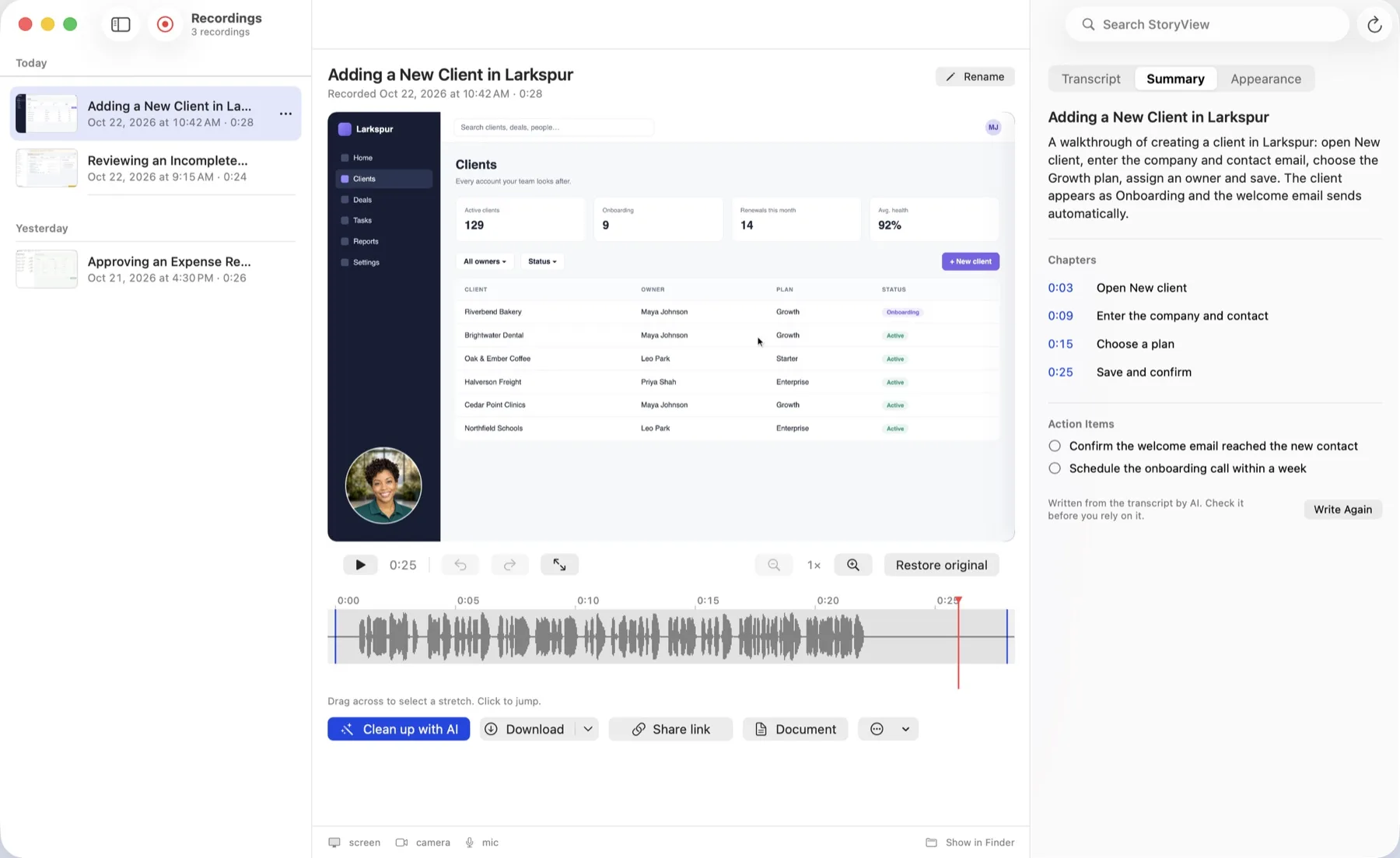
A summary, chapters and action items — the moment you stop recording.
Filler words, dead air and false starts go automatically. Fix a sentence by deleting the words, not by starting again — and nothing you cut is gone, because every edit is a new version over an original take that stays where it was.
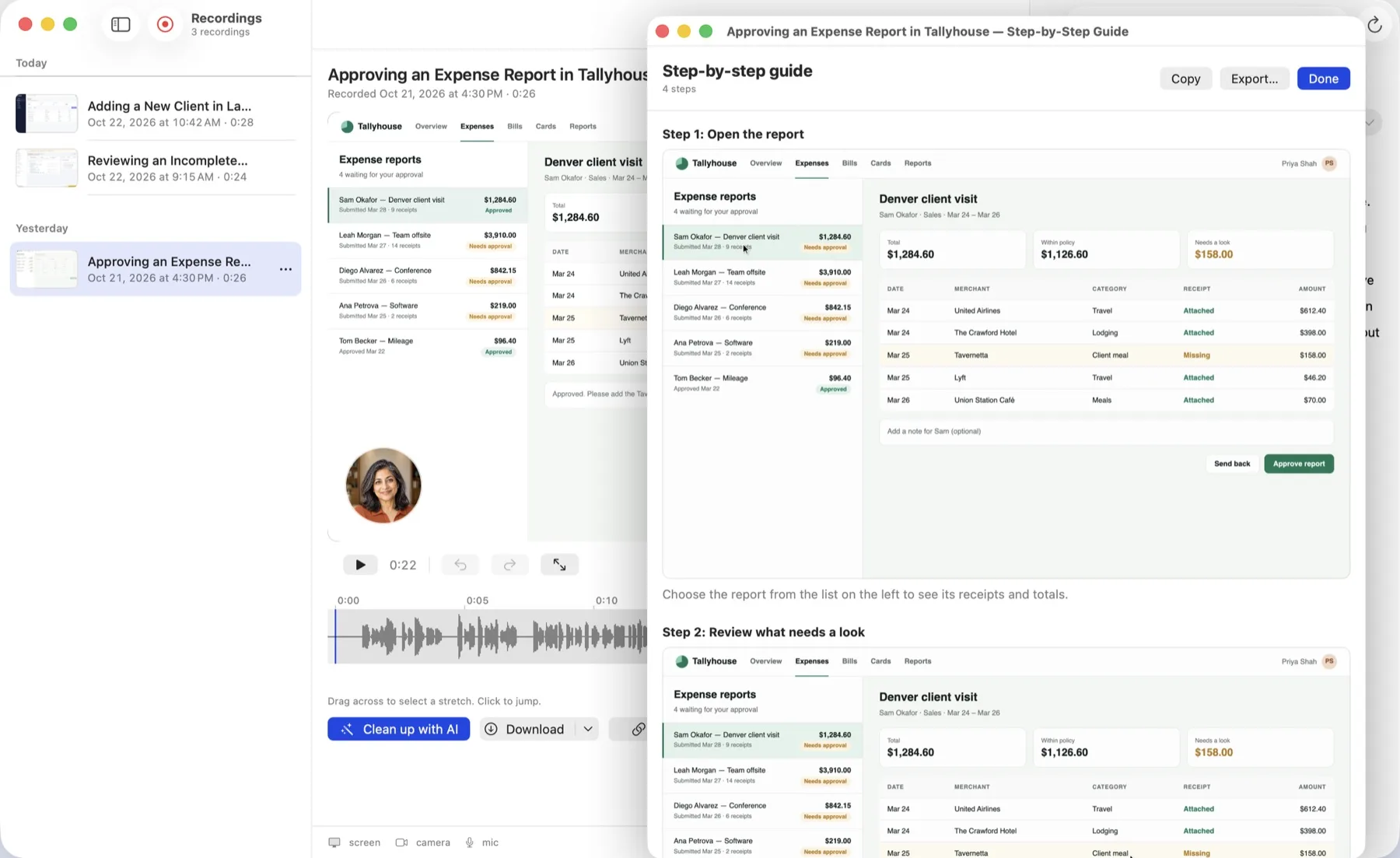
Not a wall of transcript. Numbered steps, each with the screenshot of the moment it happened — the thing a colleague can follow without watching twenty minutes of video.
Open Deploys → Pipelines and choose the staging environment.
Pending migrations block the release. Resolve them first.
Promote, then keep an eye on the error rate for two minutes.
Meanwhile, on your Mac
Speech never leaves the machine to become text. No key to paste, no per-minute bill.
Ask a question, get the answer with the moment it was said, cited and clickable.
Every AI decision is reversible. The original take is always reachable.
The share link is live before the AI has finished. Summaries arrive as they’re ready.
Two ways to own it
Cloud
$24.99 / month
or $199 a year · 7 days free
Hosted share pages with passwords or invited viewers, comments on the moment, viewer activity, and AI within a monthly allowance you can always see.
Local Edition
$39.99 once
Every StoryView 1 update included
Every creation and editing feature, no account, your own AI provider, and optional static pages published to storage you control.
The Mac App Store shows the final price in your region. Cloud renews automatically until cancelled in your App Store settings; Local Edition has no StoryView hosting.

macOS 26 or newer · Apple silicon and Intel